
 en
en de
de
 fr
fr
 es
es
 it
it
 ru
ru
 pt
pt
How do I send crypto?
1. Tap Send on the app’s main screen.
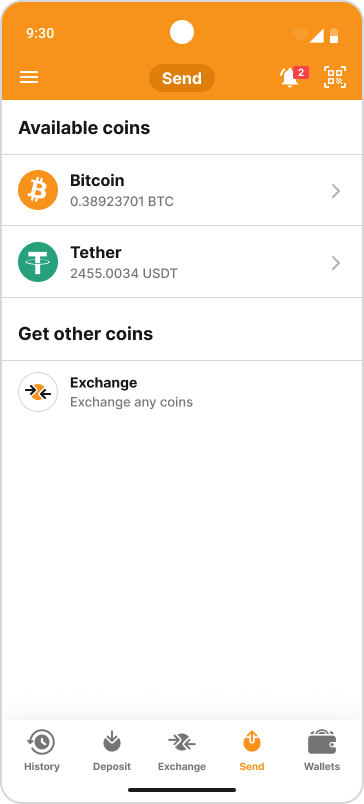
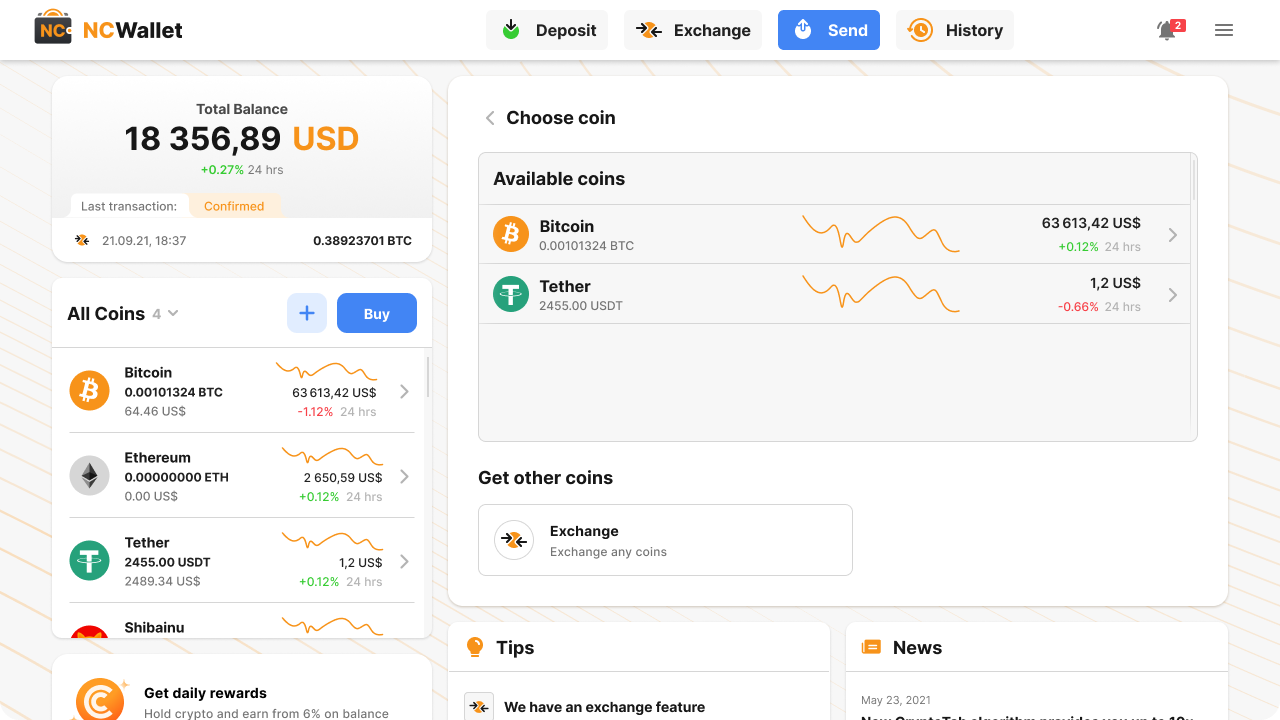
2. Choose the coin you want to send.
Mobile App
Web App
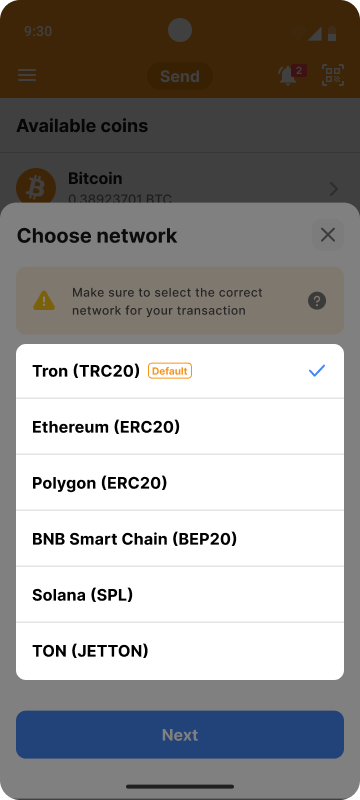
3. If more than one network is available, choose the network.
Mobile App
Web App
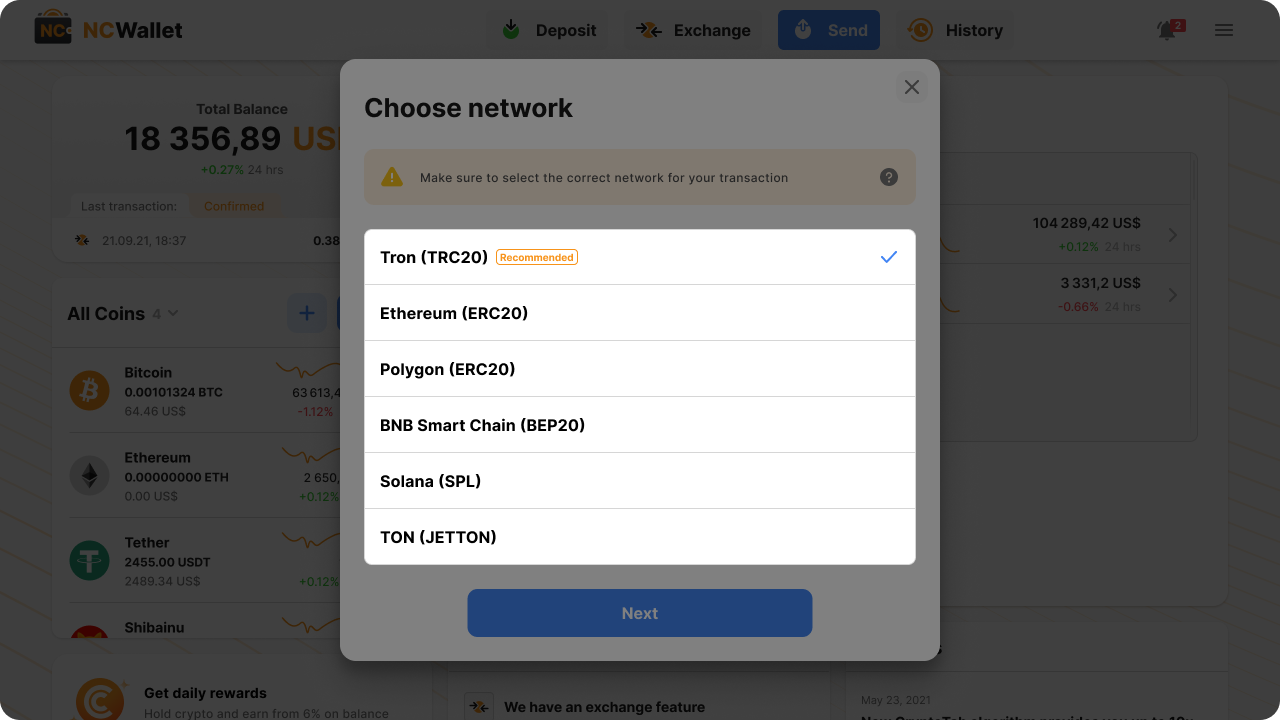
Make sure the network is the same as the recipient’s network. Blockchain transactions cannot be canceled or reversed.
4. Tap Next.
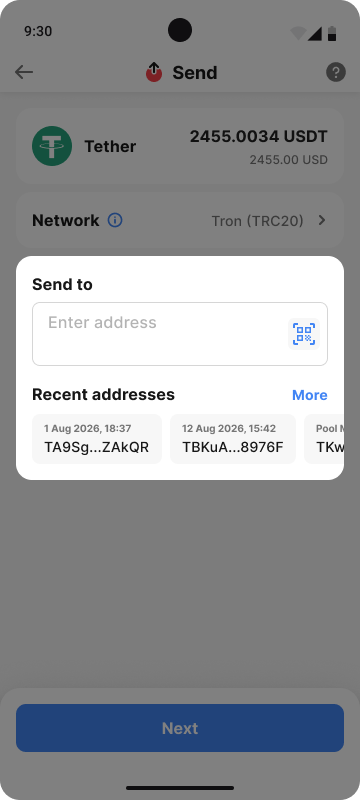
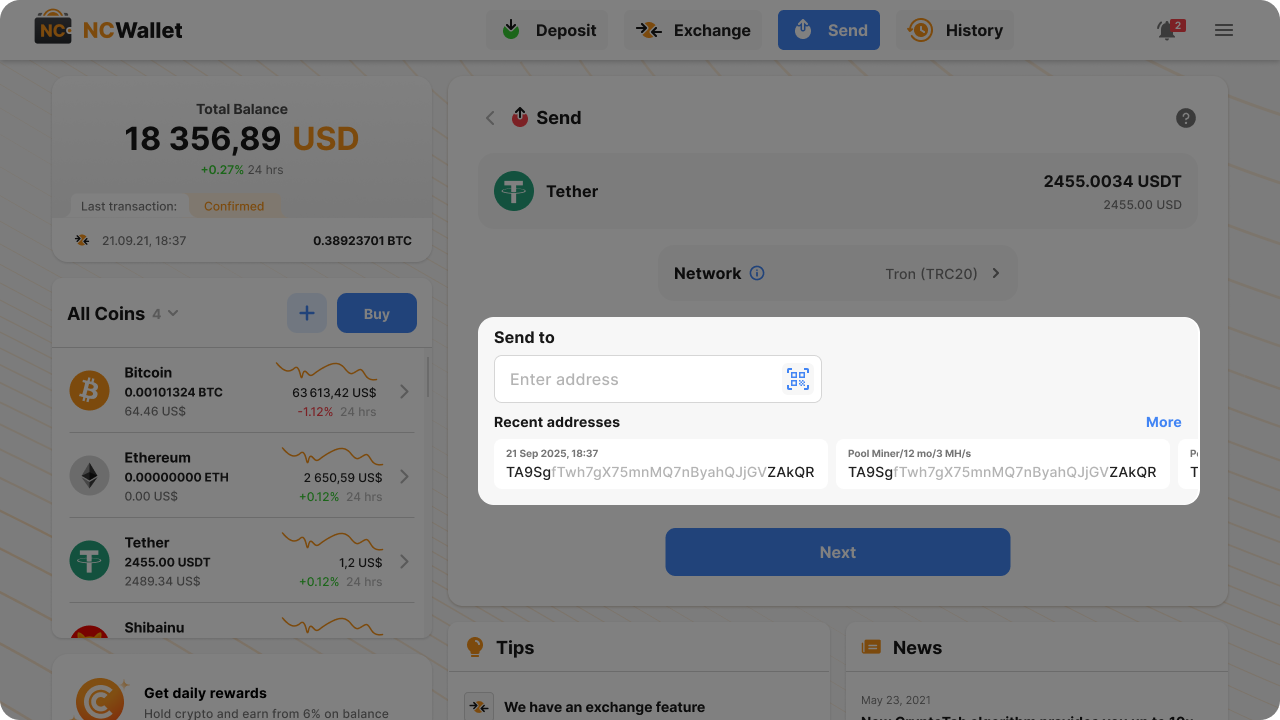
5. Enter the recipient’s address or choose one from your recent addresses.
Mobile App
Web App
6. Tap Next.
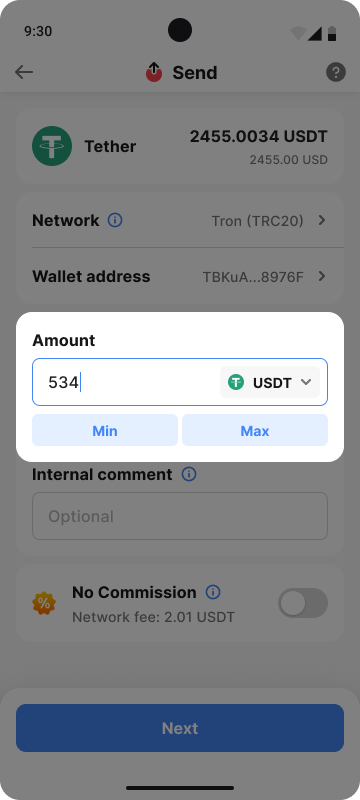
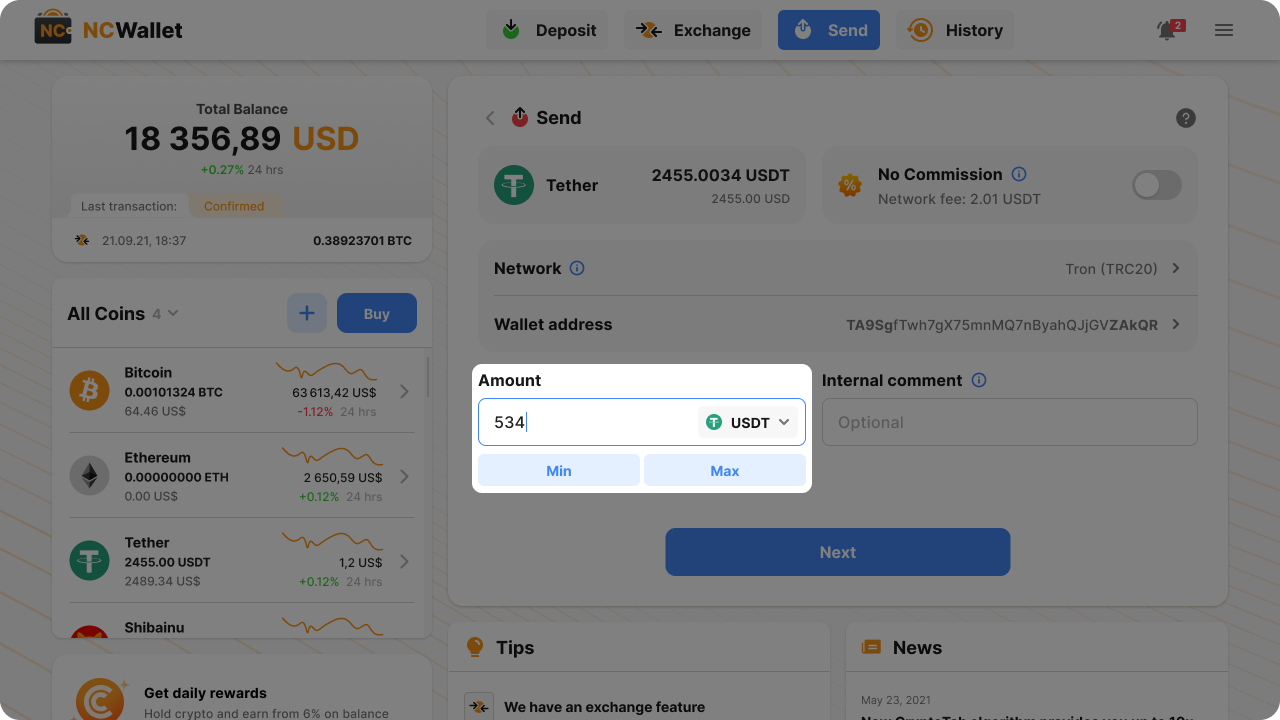
7. Enter the amount.
Mobile App
Web App
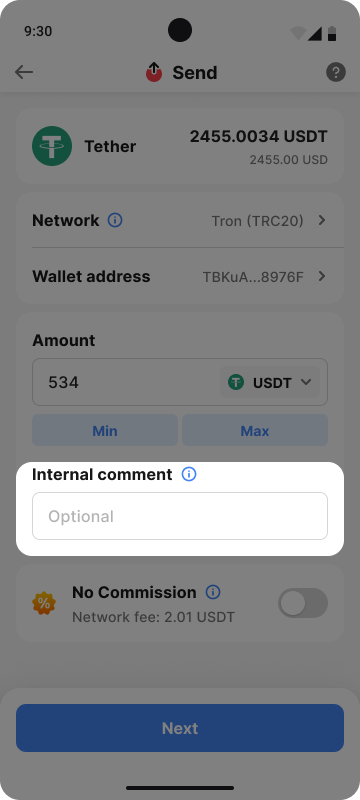
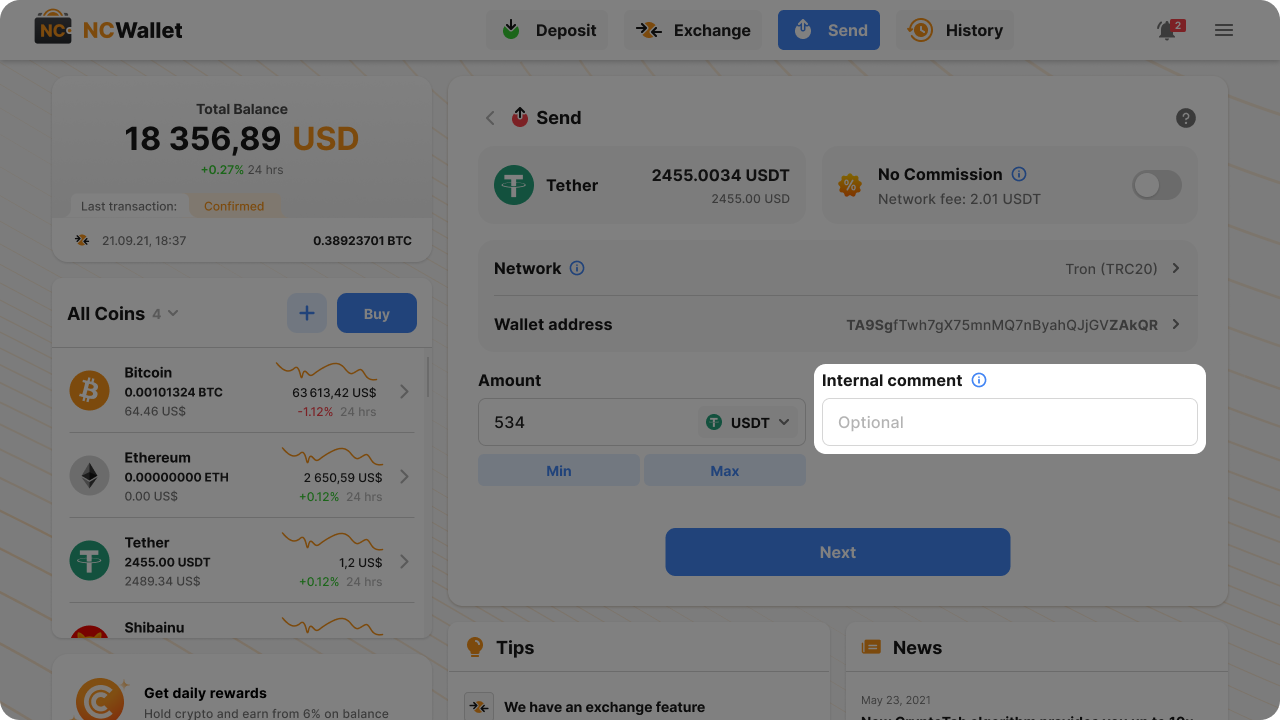
8. You can also add a comment. It’s only visible to you and not sent to the blockchain.
Mobile App
Web App
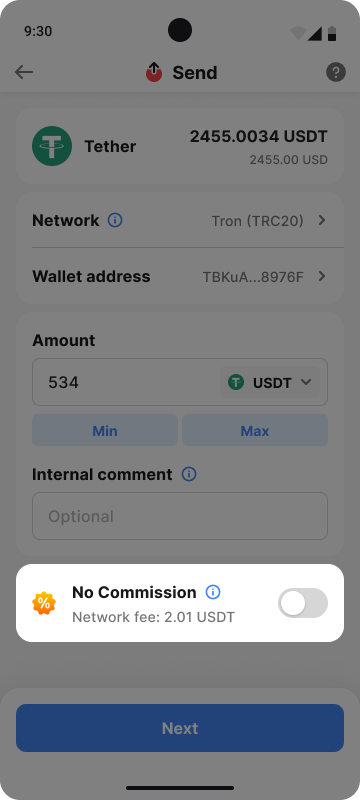
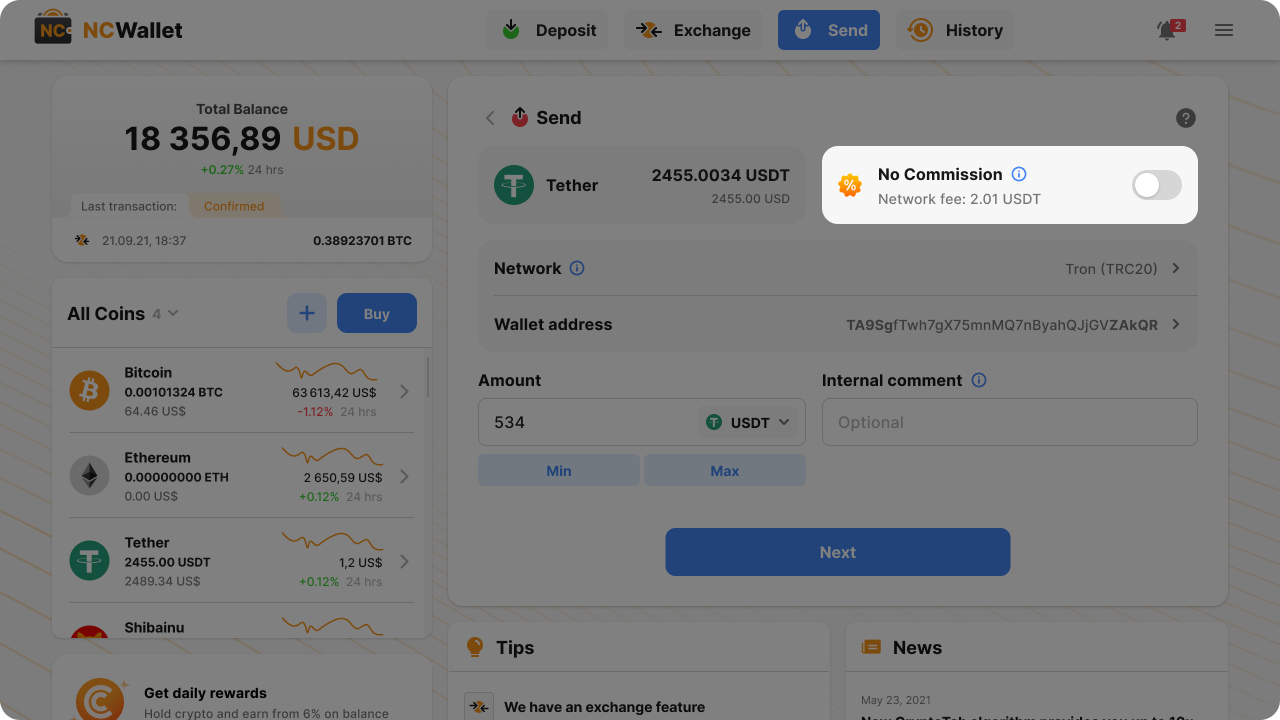
9. Turn on No commission option if you want NC Wallet to cover network fees. More about fees here.
Mobile App
Web App
10. Tap Next.
11. Check the coin, network, address, amount, and other details carefully.
12. Tap Send.
Share this article on